Welcome to Microvillage Communications

Send a message
CompletePBX 5.1.30 – PBX Software Updates

Mar 30, 2022 | APP StatExplorer MT PBX, CompletePBX Change Log, VoIP PBX Technical Updates

In this update: changes in software update mechanism and software service agreements, adding an update button, notifications, visual indication of the expiration date, adding web modules to the menus, and more.

5.1.30

Note: this is the last update that will be generally available. Starting the next CompletePBX update, only systems under an active service agreement (including all systems under annual, monthly, or post-paid licenses) will be able to download software updates.

If you are upgrading a Spark system, you may ignore the special instructions.
For any other system of version 5.0.59 or lower please perform the following steps:

1. run
yum install xorcom-centos-release

2.  run
yum update

This will ensure the system will be updated from the correct repositories.


System Improvement

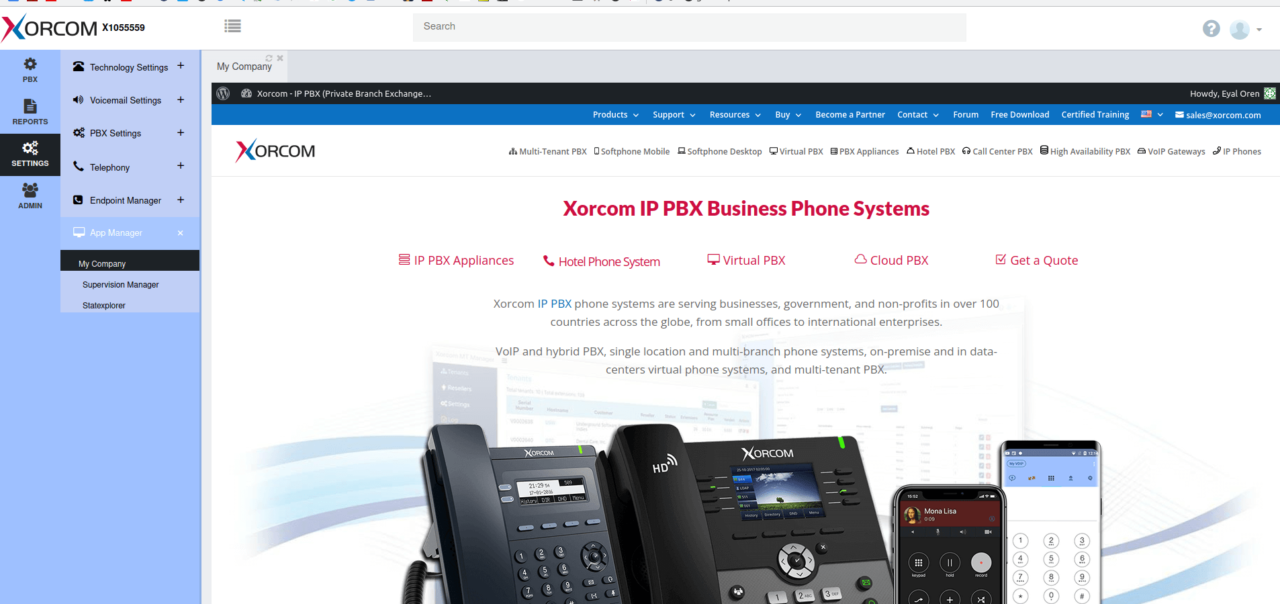
It is now possible to add embedded (iframe) applications into CompletePBX GUI and menus using API.

For more information contact us

iframe in PBX GUI 1280x604 1

Sofware Updates

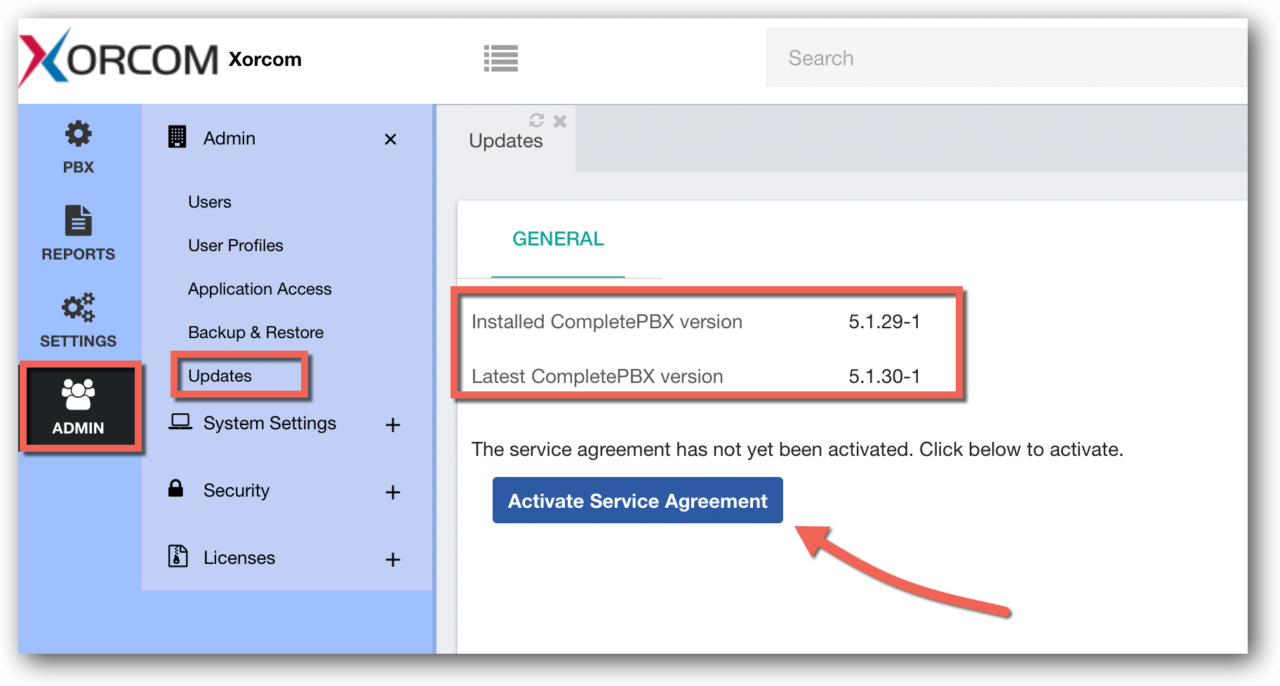
A new Updates dialog was added (Admin -> Admin -> Updates).

PBX Software Update Activate Service Agreement 1280x686 1
  • This dialogue presents the current system version and the latest available version in the CompletePBX repositories.
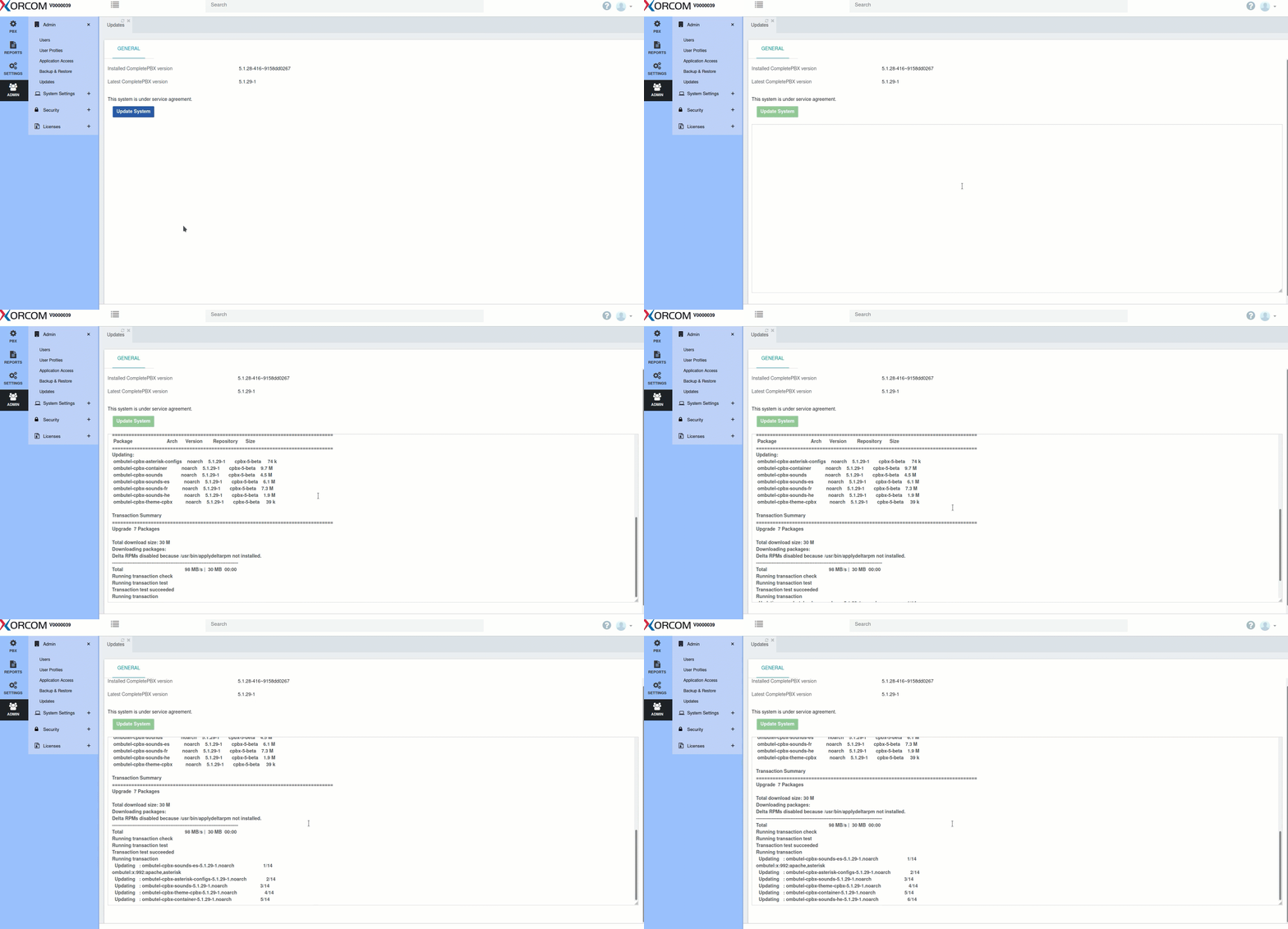
  • Updating the system is now performed by clicking the Update button.
  • An update log is shown on the screen when updating the system.
PBX Software Update from GUI

Service Agreements

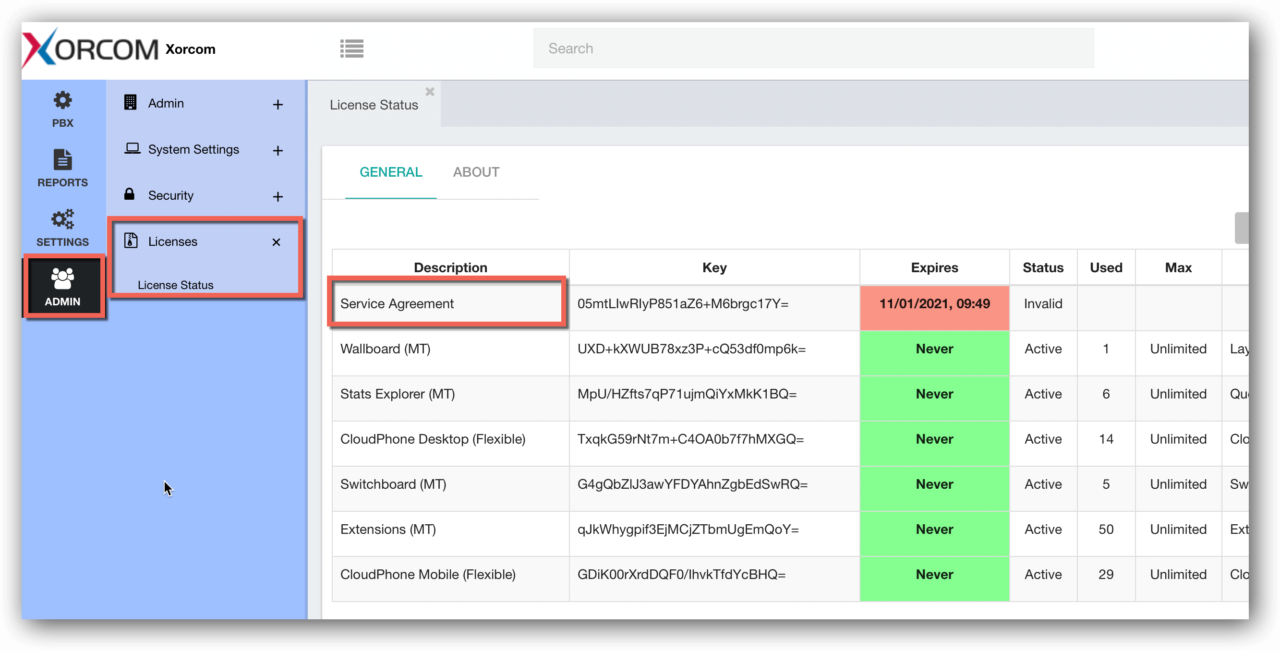
Starting this version service agreements are handled as licenses in the system.

  • Service agreements will start automatically when the system starts being used for production, avoiding the need to register new systems manually.
  • In the case of PBX appliances, the start date will also determine the warranty start date.
  • Only systems under an active service agreement will receive software updates (starting the next update). All systems under warranty, software service agreement, annual license, monthly license, and post-paid licenses will be eligible for software updates.
  • The status of the service agreement will appear in the License dialogue:
PBX Service Agreement Status in GUI 1280x651 1
  • All systems will be able to update to this CompletePBX version (5.1.30) regardless of service agreement status.
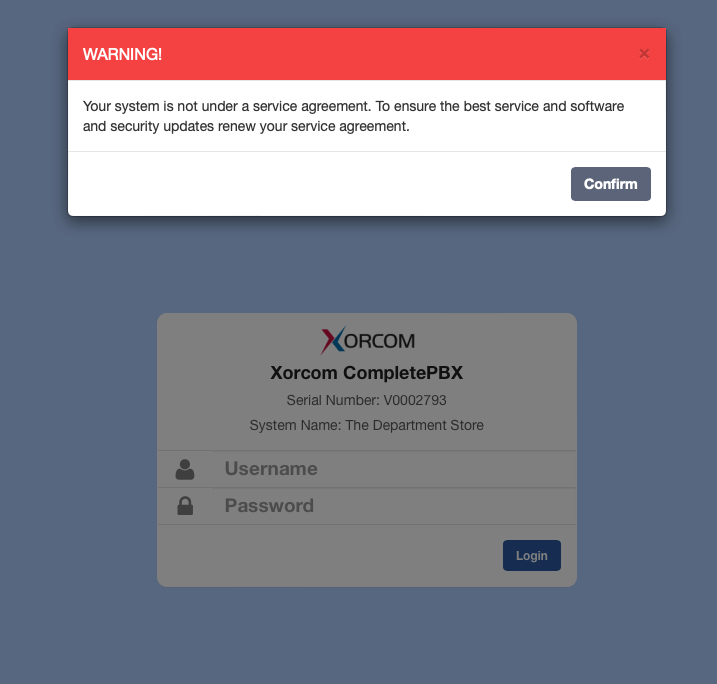
  • Systems that are not under an active service agreement will see a notification:
No Active Service Agreement Notification on PBX GUI

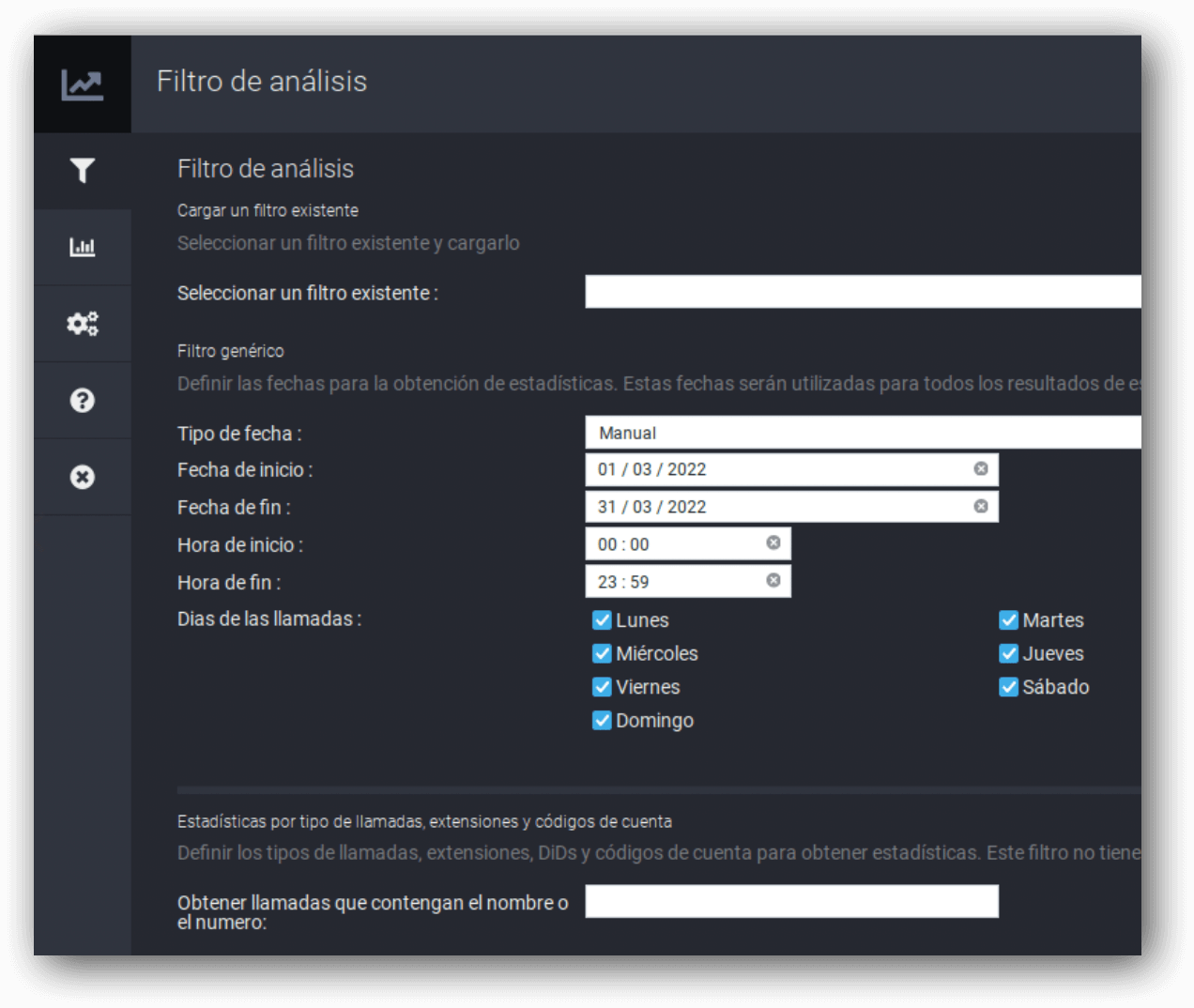
Spanish language support was added to StatExplorer.

Spanish Support for PBX Statistics

Bug Fixes

It is not possible to set the extension Dial Profile and MoH to None (affected version 5.1.29)

Missing validation on Ring Groups code field

CDR/CEL fails to write details in some cases

Supervision Switchboard – errors on new install

Fanvil – some models crash when uploading phonebooks

Error when creating Emergency in Swift

Dial Profile may be used on the wrong trunk in case there is an outbound route with more than one trunk

Empty source field in CDR on CFx calls to an external destination

WhatsApp