Welcome to Microvillage Communications

Send a message
CompletePBX 5.0.39 – Task Manager, Scheduled Backups and more

Feb 11, 2018 | CompletePBX Change Log, VoIP PBX Technical Updates

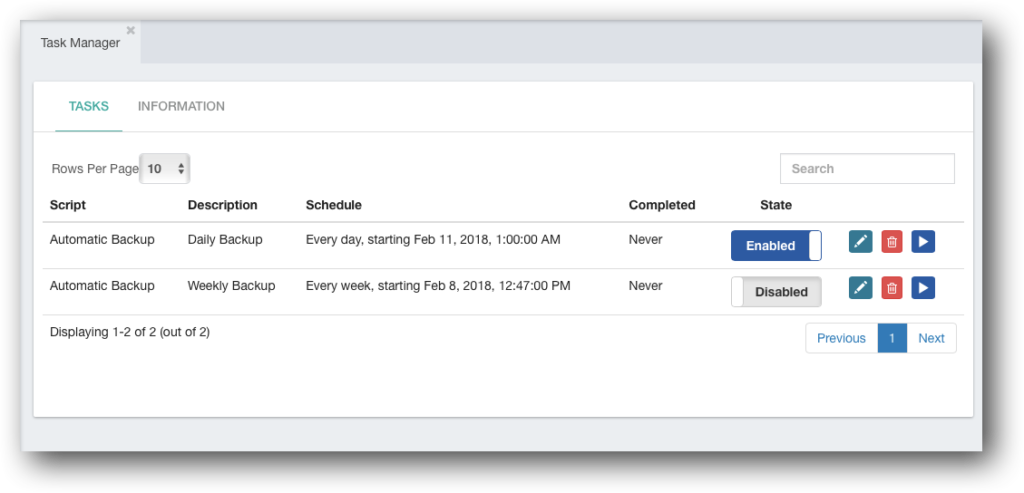
A new Task Manager was added to CompletePBX 5 phone system management (Admin -> System Settings -> Task Manager).

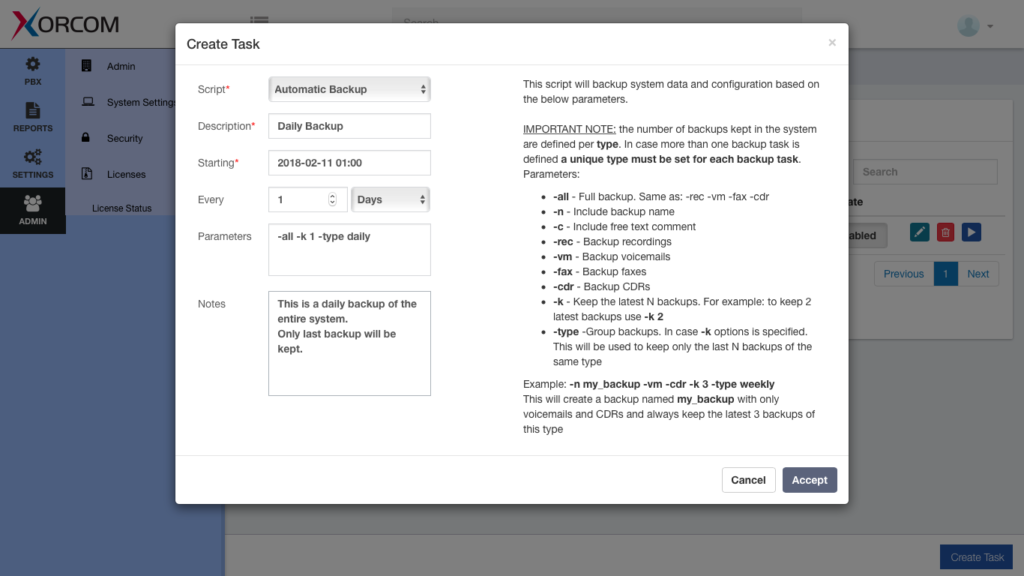
The task manager controls the running of predefined tasks, either add-hock, scheduled or recurring.  Each task is a script that the PBX Task Manager executes based on the settings.  The script parameters may be set by the user, so a single script may be used by different tasks with different parameters.

2018 02 11 16 36 19 1 1024x493
  • For example, the backup script may be run at different intervals (daily, weekly, etc.) and with different parameters (e.g. backup all, backup PBX configuration only etc.) 
Screen Shot 2018 02 11 at 16.31.55 1024x576
With this version, a backup script is provided and more scripts will be available in the next releases.

In addition, the admin user of the PBX may add her own custom scripts.

To add a new script:

  1. Copy the new script to the /usr/share/ombutel/task-scripts folder
  2. make it to be executable by running the following command:  chmod +x /usr/share/ombutel/task-scripts/myscript
  3. The script is ready for use in the Task Manager

Additional New PBX Features

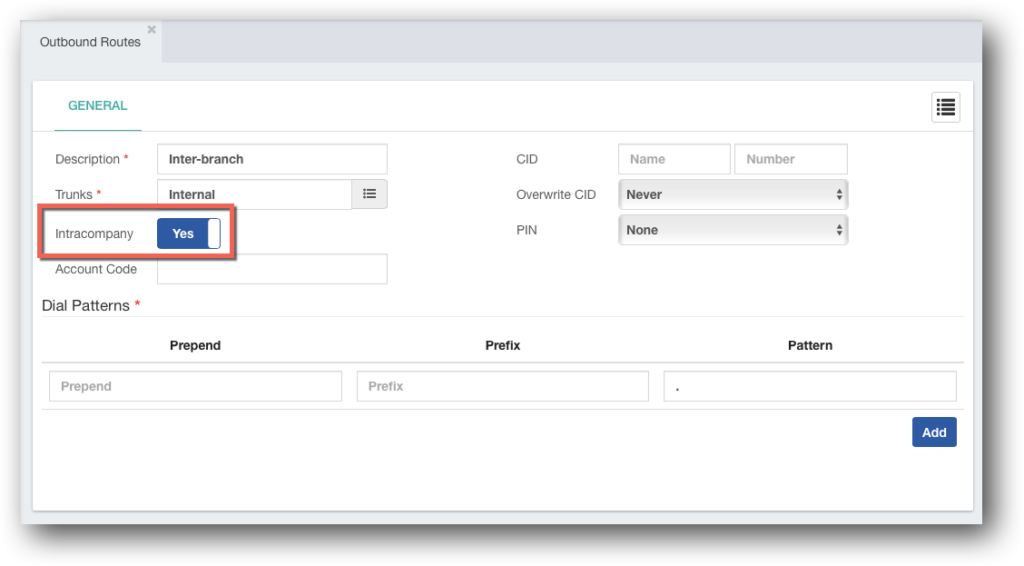
Intra-company Outbound Route – it is now possible to define Outbound Route as “Intra-company” (PBX -> External -> Outbound Routes).  An intra-company outbound route will pass the internal caller ID to the next destination as is.
2018 02 11 16 56 14 1024x566
BLF Indication for FXO/PRI/BRI line status – new hints were added to support line status with DAHDI trunks.
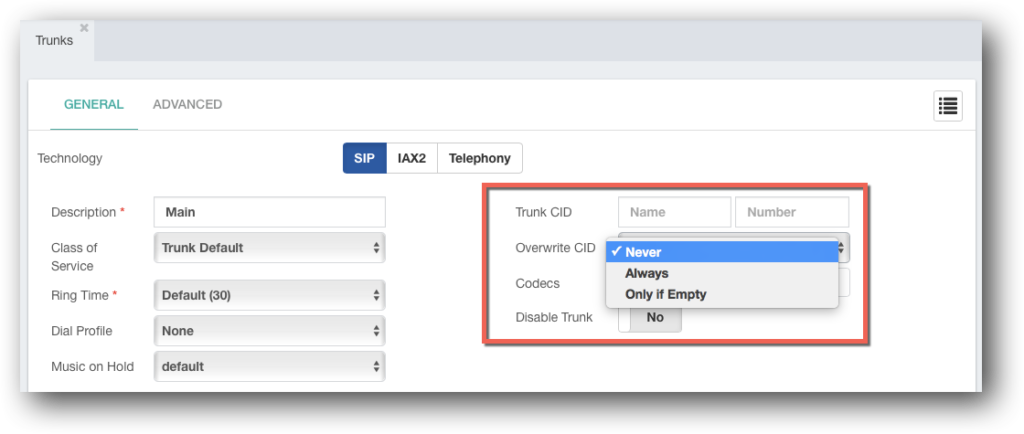
Trunk and Outbound Route caller-ID override  – it is now possible to set the outbound caller-ID in the Outbound Route (PBX -> External -> Outbound Routes) or Trunk (PBX -> External -> Trunks)
2018 02 11 17 03 24 1024x434
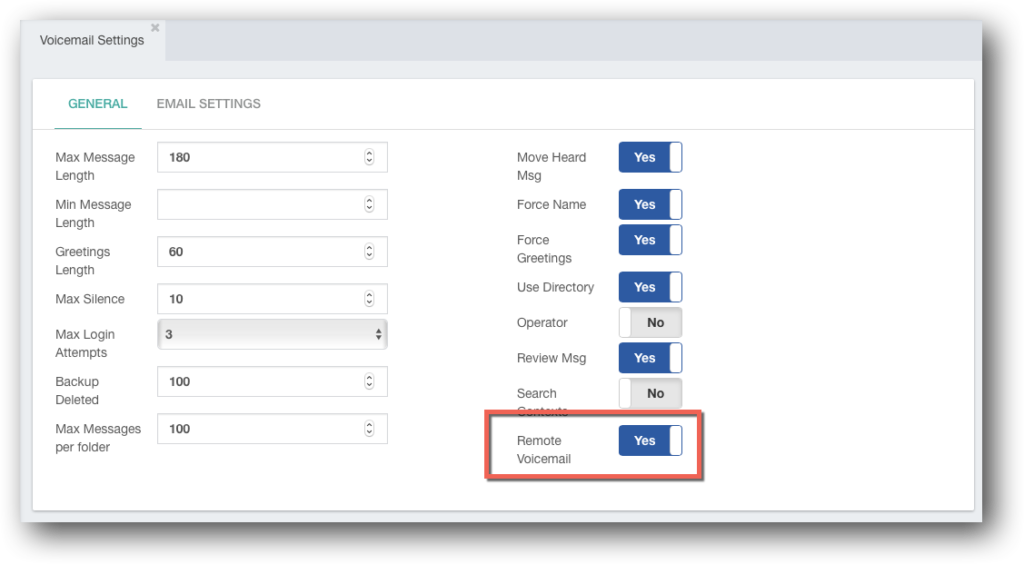
  • Remote access to voicemail – voicemail can now be accessed remotely by dialing into the extension and pressing * upon reaching its voicemail.  The user will be prompted to enter the password for that voicemail.  The feature can be enabled via Settings -> Voicemail Settings -> Voicemail Settings:
2018 02 11 17 15 42 1024x564
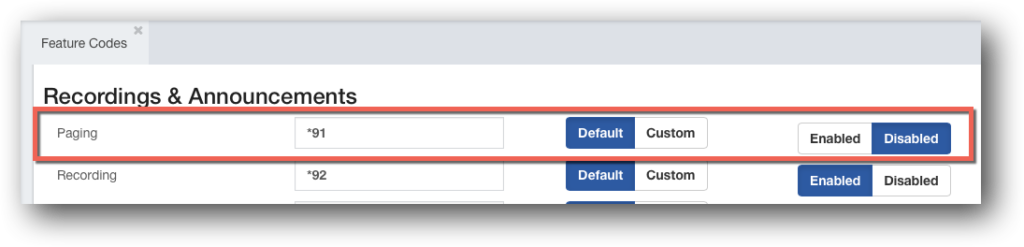
  • Direct paging – it is now possible to page users directly (without prior configuration of Paging & Intercom) using a feature code.  Using the feature code followed by the extension number will open bi-directional voice call between the two.  For security reasons the feature code is disabled by default and needs to be enabled in PBX -> Applications -> Feature Codes.  Note that the phone needs to be able to support this feature, and configured to do so.
2018 02 11 17 22 27 1024x247

Fixes

  • Unix time shown instead of system time in Reports -> Status -> Registration.  Fixed.
  • Fax detection failed to work on SIP trunks behind NAT in certain carrier setups.  Fixed.
  • Inbound route with outbound route as destination always chooses the first option when more than one is available.  Fixed.
  • When adding DID from Extension module , the new inbound route will use MOH None ( Ringback ).  Fixed
WhatsApp